

You open Google Analytics, see a busy dashboard, and still cannot answer a basic question: is the website helping the business? The problem is often the measurement plan, not the lack of charts.
Google Analytics 4, usually called GA4, records interactions as events. For a small business, the useful starting point is a short list of actions that matter, a working installation and a report that connects those actions to decisions. Old instructions about Universal Analytics views and destination goals should not guide a new setup.
Decide what you need to learn
Write down three questions before installing anything. Which campaigns bring suitable visitors? Which pages help them take the next step? Which completed actions become real customers?
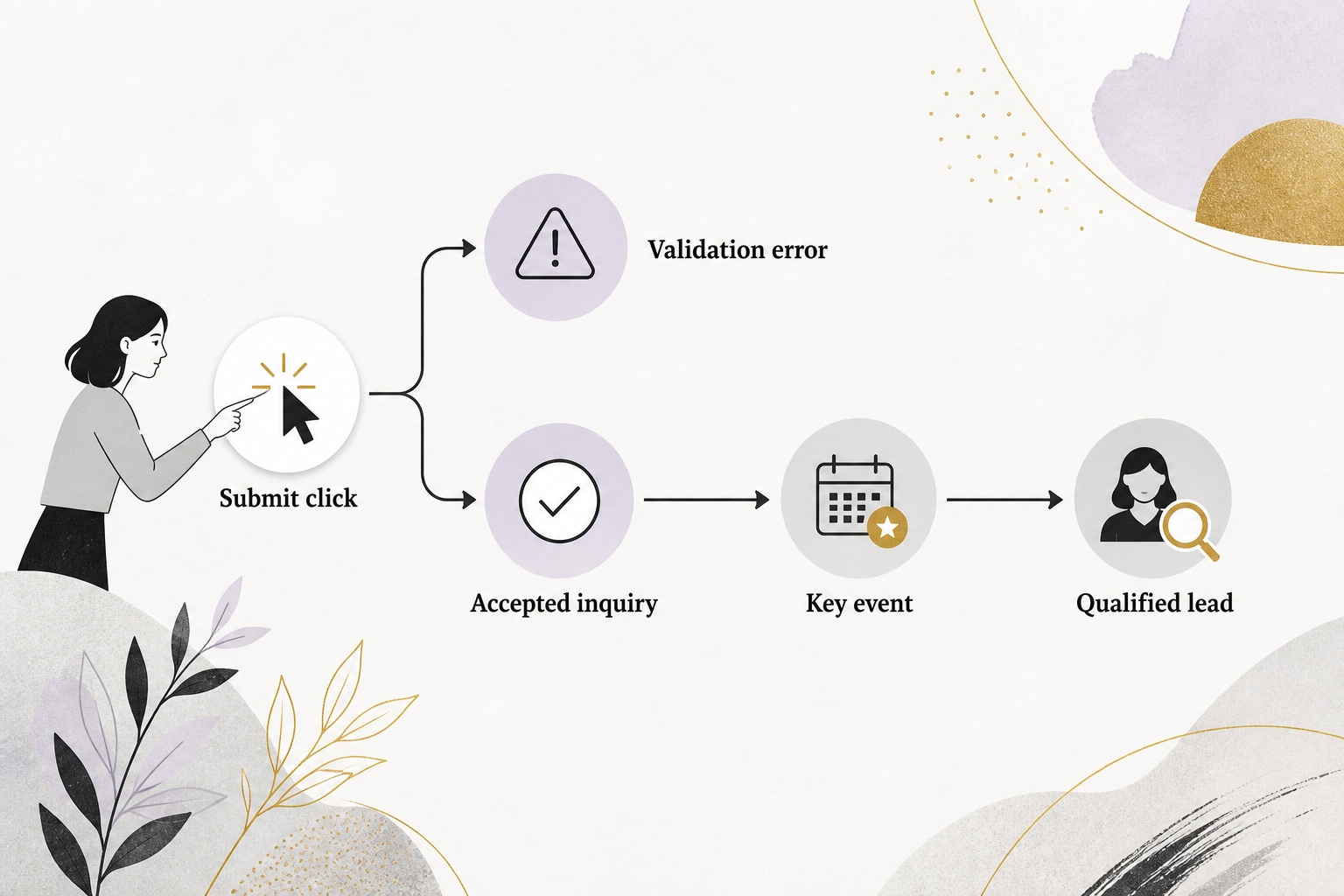
The last question often needs your customer relationship management system, order system or booking records. Analytics can show a form event without knowing whether the inquiry was spam, an existing customer or a good sales opportunity. Keep that distinction visible from the start.
Choose a reporting time zone and currency that match your business records. Record who owns the account, who can administer it and who only needs to read reports. Keep ownership under a business-controlled identity.
Install one clear collection route
Create or confirm the correct GA4 property and web data stream. Use a supported website integration, the Google tag or Google Tag Manager to install collection. Pick one intended route and document it.
Before adding a new tag, check whether a plugin, theme or existing container already installs the same property. Duplicate collection can make page activity look healthier than it is. Verify the measurement ID and production domain instead of assuming a familiar account name is correct.
Consent and privacy requirements depend on your visitors and use of the data. Configure the appropriate consent mechanism before broader measurement. Do not place names, email addresses, phone numbers or sensitive form answers in ordinary Analytics events or URLs. Google prohibits sending personally identifiable information through these collection paths. Google Analytics: Avoid sending personally identifiable information
Measure completion, not just clicking
For a lead website, a button click and a successfully accepted inquiry are different events. A visitor may click Submit while required fields are empty. The website should confirm success before sending the business outcome event.
GA4 lets you identify important events as key events. That designation organizes reporting; it does not certify lead quality. Google Analytics: Key events
- Use a successful inquiry event for the relevant sales form.
- Track phone-link clicks separately from connected and qualified calls.
- For ecommerce, verify order identifiers, values and currency against test orders.
- Keep engagement actions, such as a download, separate from customer acquisition.
Test successful and failed submissions, repeated clicks, mobile behavior and consent choices. Check the event in debugging tools and then check the destination report after processing. Save a short measurement note so the next person understands what each event means.
Read a small set of reports
Start with acquisition, landing pages and important events. Compare the same period lengths and note holidays, campaigns and website changes. A sudden increase in traffic deserves investigation before celebration.
GA4 bounce rate is the share of sessions that were not engaged. It is not simply the share of visitors who viewed one page, as older explanations suggested. Google defines engaged sessions using duration, key events or multiple page or screen views. Google Analytics: Engagement rate and bounce rate
A person who finds the answer on one article may have a useful visit. A person who visits several pages because the contact details are hidden may have a frustrating one. Interpret the metric alongside the page’s purpose.
Use AI insights as investigation prompts
Analytics Insights can highlight unusual changes and conditions you choose to monitor. These automated observations help you notice something worth checking. Google Analytics: Analytics Insights
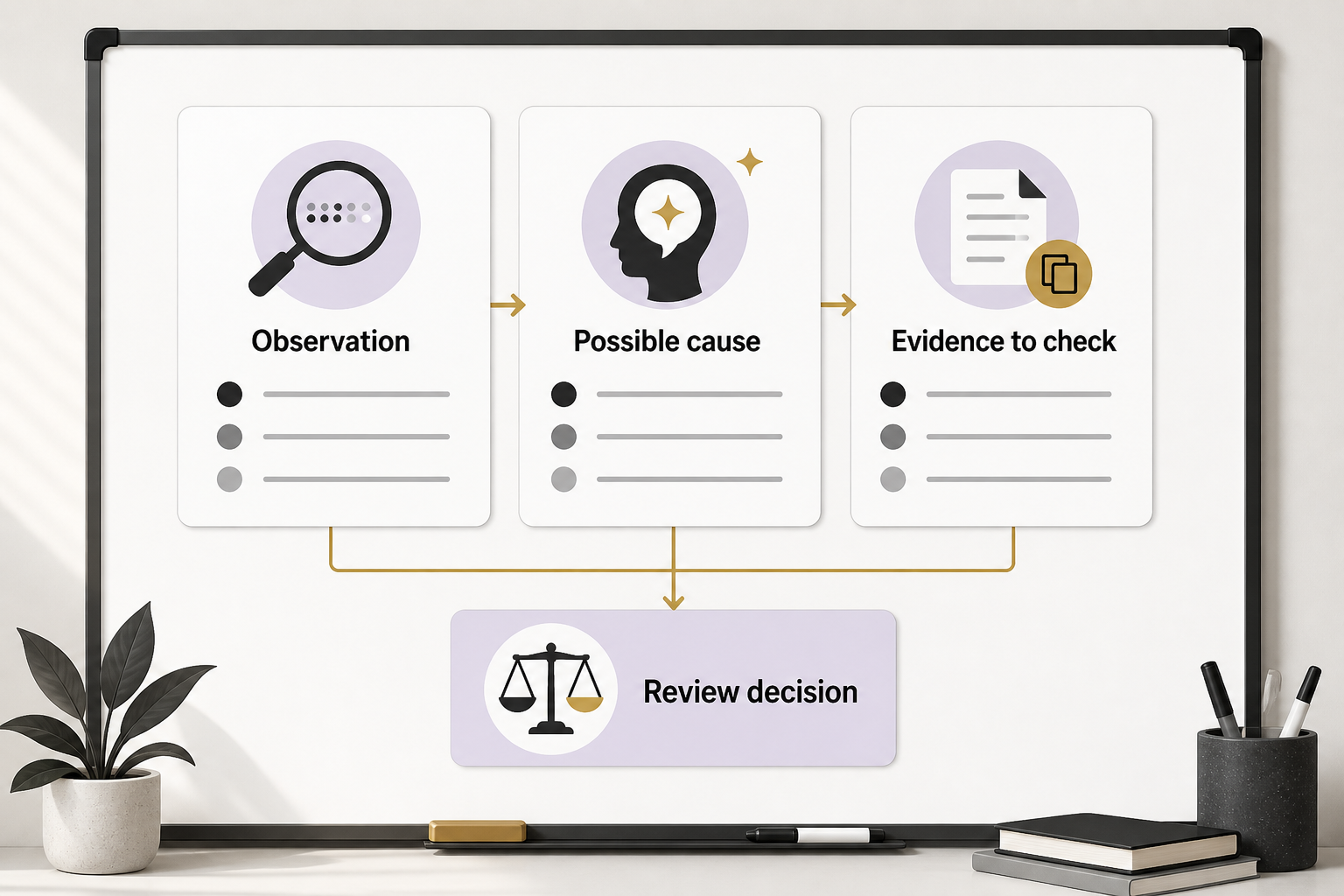
They do not explain business causes by themselves. An apparent improvement could reflect a new tag, a traffic campaign, consent changes or a shift in visitors. Review the underlying report and event definitions before asking an assistant to summarize the result.
A useful prompt is: “Using this aggregate report, describe what changed, list three possible explanations, and say what evidence would distinguish them.” Do not upload customer-level exports to an unapproved tool. Require the assistant to separate observed changes from hypotheses.
A hypothetical example
A repair business sees inquiry events increase after changing its form. The owner checks accepted requests and discovers the new implementation fires twice on successful submissions. The right response is to repair collection and annotate the reporting break, not increase ad spend based on the inflated count.
Build a repeatable monthly review
Save the date range, report filters, event definitions and comparison period. Review traffic quality, qualified inquiries and completed business outcomes together. Choose one next action and explain why the evidence supports it.
For help turning a collection setup into a usable decision process, start with an Eastmoor Digital discovery call.
Sources & further reading
Primary references checked for this refresh. Availability and platform behavior may change.
- Google Analytics: Key eventsChecked 2026-08-31
- Google Analytics: Engagement rate and bounce rateChecked 2026-08-31
- Google Analytics: Analytics InsightsChecked 2026-08-31
- Google Analytics: Avoid sending personally identifiable informationChecked 2026-08-31