

Picture someone seeing your ad between two things they actually wanted to read. You have a brief opportunity to explain why it matters. A clever headline may win attention, but the person still needs to understand the offer and trust the next step.
The anatomy of an ad starts with that decision. AI can generate headlines, backgrounds and alternate layouts. It can also make an ordinary service look like something you do not sell. Build the message first, then use automation to develop and test it.
Start with a specific customer situation
Write one sentence describing the situation the ad addresses. A useful brief says that a business owner needs replacement signage before reopening. A weak brief says everyone should know about your sign company.
Define what the person knows, what is uncertain and what action would be reasonable now. Someone choosing a supplier may need examples and production details. Someone ready to reorder may need a direct ordering path. Those are different ads, even when the product is the same.
Make the headline a truthful promise
The headline should tell the reader what they can learn, compare, buy or request. Write several angles: the task, the concern, the service and the decision. Choose the clearest one that the rest of the experience supports.
For a hypothetical sign shop, “Plan your reopening signage” is a credible starting point. “Double your foot traffic overnight” would require evidence the business almost certainly does not have. Do not let a model improve excitement by inventing results, deadlines or discounts.
Ask AI for distinct options using only an approved offer sheet. Then label the difference between each option. Five rearrangements of the same sentence are not five meaningful creative tests.
Show what the customer will actually receive
Use a photograph, demonstration or diagram that explains the offer. If the product has a particular material, finish or size, represent it accurately. A beautiful image of an unavailable product creates work for sales and disappointment for the customer.
Generated backgrounds can help explore a concept, but inspect product edges, text, proportions and setting. Never manufacture a customer installation and present it as completed work. Keep image-rights records and approvals for identifiable people or customer property.
Write body copy that answers the next question
The copy connects the headline to the action. Explain who the offer is for, what is included and anything a reasonable buyer needs to know. Use one concrete detail rather than several broad adjectives.
In the sign-shop example, explain that customers can submit existing artwork for review. If artwork preparation, installation or delivery is not included, do not imply otherwise. Uncertainty should lead to a question or qualification, not an AI-generated assumption.
Keep proof separate from illustration
A real testimonial, documented process or accurate demonstration can support an ad. A hypothetical scenario can explain one, but must remain clearly hypothetical. Never combine a stock portrait with invented praise and make it look like customer evidence.
Check AI disclosure requirements for the platform and content. Meta describes AI information labels for ads created or significantly edited with generative tools. A label does not make an inaccurate claim acceptable. Review truthfulness before deciding how an asset is identified.
Design assets for different combinations
Ads increasingly travel as a collection of components rather than one finished rectangle. Google’s responsive display ads use AI to combine supplied assets. Every headline and description must make sense alongside the other approved components.
Avoid dependent phrases such as “See the offer below” when a layout may move or omit that element. Keep essential meaning out of tiny image text. Preview crops on mobile and check whether automated enhancements are enabled.
Match the call to action to the destination
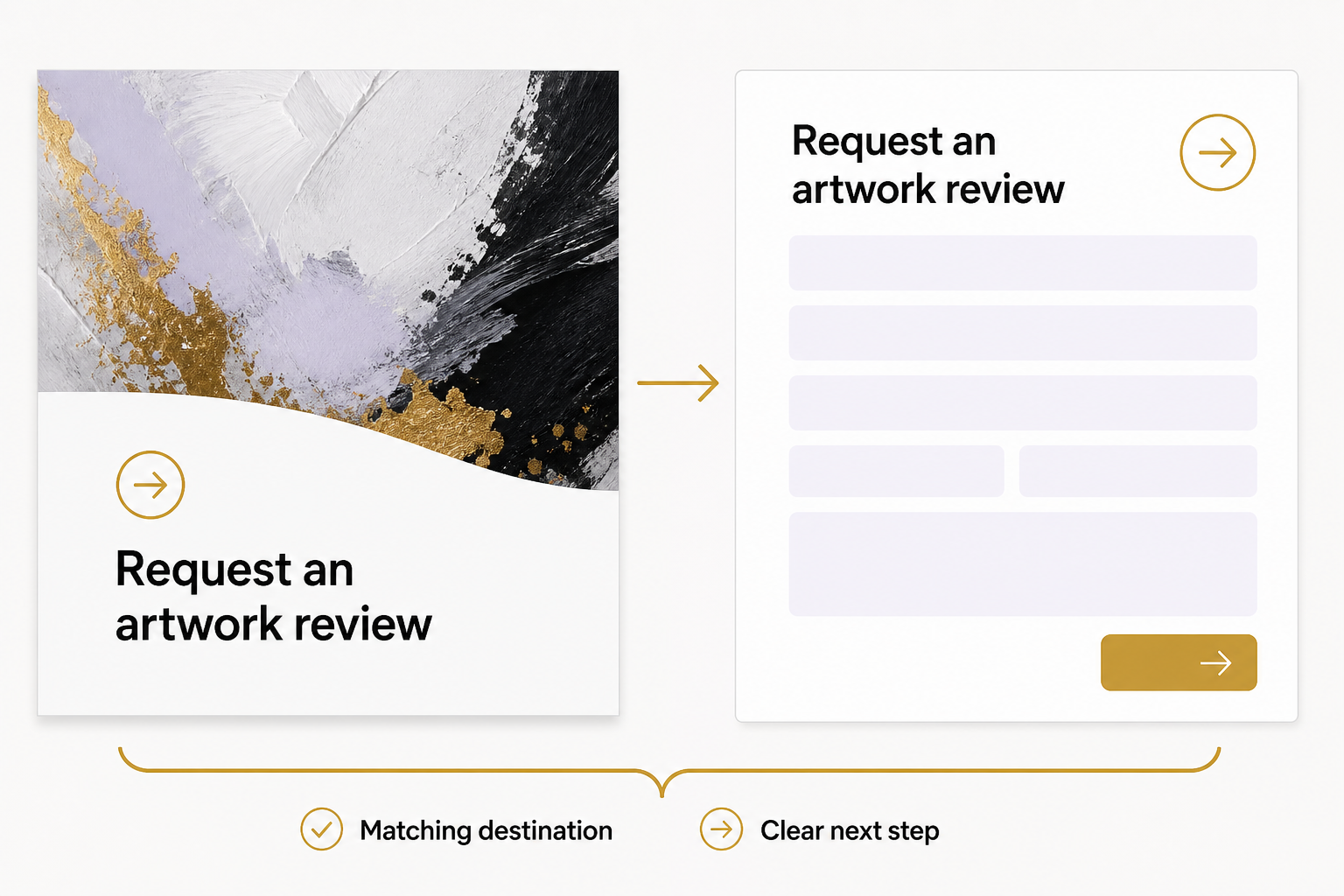
“Request an artwork review” should open the relevant form, not a generic homepage. The landing page should repeat the offer, show what information is needed and explain what happens after submission.
Complete that journey yourself. Check links, required fields, confirmation messages and the record received by the business. A convincing ad cannot compensate for a confusing next step.
Test a decision, then judge the outcome
Choose one question: Does a process demonstration attract more suitable inquiries than a finished-product image? Keep the offer and destination consistent enough to learn. Record which assets ran and whether automated changes affected them.
Use clicks to diagnose attention, then examine inquiries, suitability and sales. Small samples and uneven delivery can make apparent winners unreliable. Keep testing decisions proportionate to the evidence rather than treating an AI recommendation as proof.
To connect creative, offer and landing page, start with an Eastmoor Digital discovery call.
Sources & further reading
Primary references checked for this refresh. Availability and platform behavior may change.
- Google Ads: About responsive display adsChecked 2026-08-31
- Meta generative AI ad transparencyChecked 2026-08-31