

A visitor reads your guide to choosing a website platform. Their next question is how maintenance works. If you already have that answer, link to it where the question arises. That is the core of a useful internal linking strategy.
Internal links connect pages on your own website. They help readers move between related tasks and help search engines discover content. Google recommends crawlable links and meaningful anchor text in its link best practices.
Give each page a distinct purpose
Start with a list of URLs, titles and the decision each page supports. Group related pages without forcing everything into a rigid hierarchy. A service overview explains an offer; a comparison helps someone choose; a tutorial helps someone act.
Then ask where each page belongs in a reader’s journey. A blog should not link only to other blogs if the useful next step is a service explanation. A service page should not leave detailed questions unanswered when a relevant guide already exists.
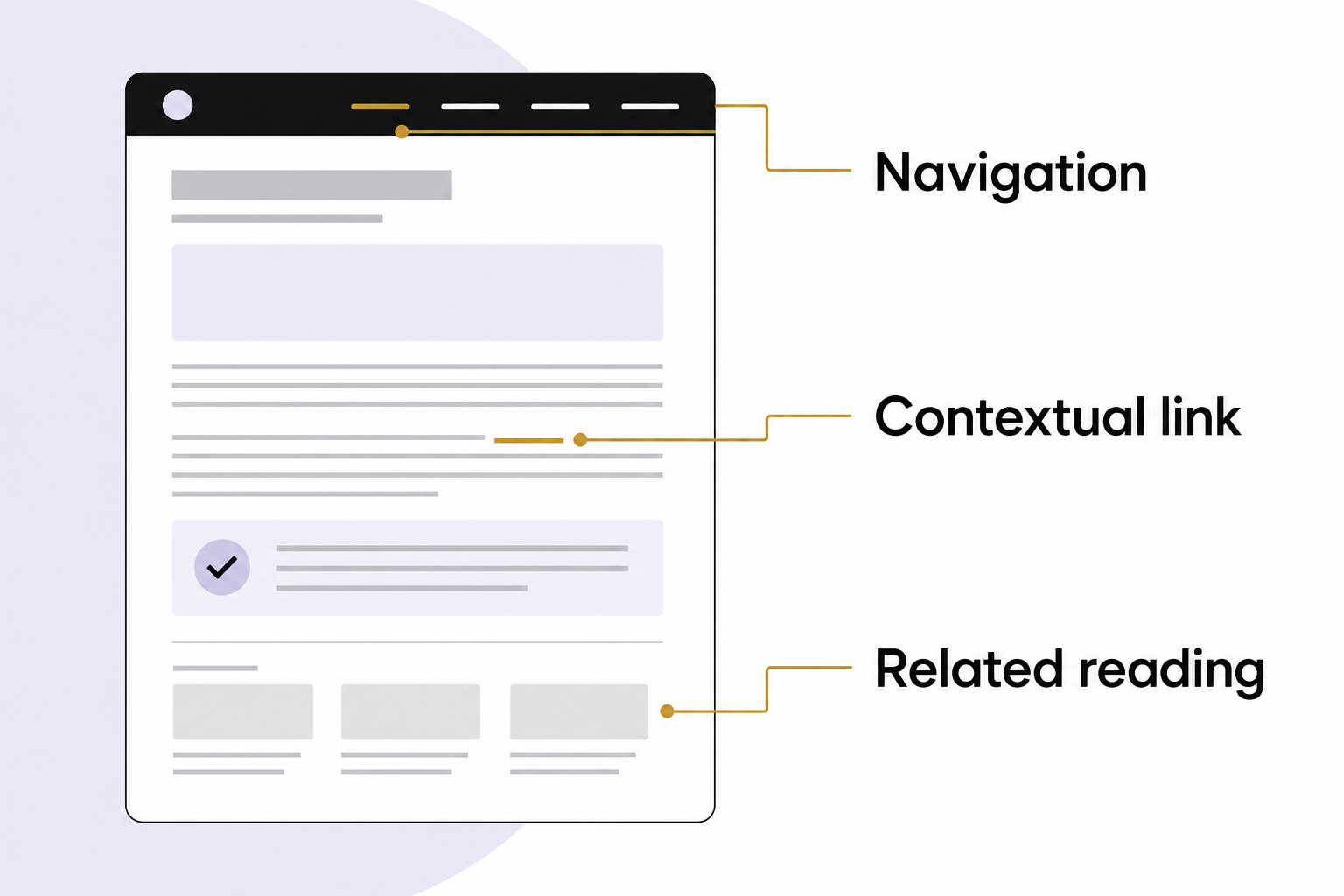
Use three kinds of links deliberately
- Navigation links expose the major areas of the site and remain predictable.
- Contextual links appear inside an explanation when another page adds needed detail.
- Related-reading links offer a small set of sensible next steps after the main answer.
These have different jobs. A large related-posts grid cannot fix a missing link in a critical instruction. A footer containing every URL cannot make a confusing explanation clear.
Let AI propose links from a verified list
Provide the model with your page inventory and the article under review. Ask it to suggest a destination, the exact sentence where it belongs and why the reader benefits. Tell it to use only URLs in the inventory.
Review every suggestion. Models can connect pages by shared vocabulary even when the reader’s task differs. They may also invent a plausible URL. A valid-looking address is not proof that a destination exists or contains the promised answer.
For example, a hypothetical sentence about tracking form submissions should link to measurement instructions, not a general article that happens to mention forms. Open the destination and verify the relevant section.
Write anchors that describe the destination
“Check your form-submission tracking” communicates more than “click here.” Keep the anchor short enough to scan, but specific enough that the destination is predictable. Do not repeat one exact keyword phrase across unrelated contexts merely to satisfy an SEO template.
Avoid linking every mention of a topic. Choose the point where the extra explanation becomes useful. Too many interruptions make long-form reading harder, particularly on small screens.
Find pages people cannot reach
Compare the publishing inventory with the site’s crawl and navigation. Investigate valuable pages with no meaningful incoming links. Confirm that the page still serves a purpose before adding links to it.
For a small site, a worksheet is enough: source URL, destination URL, anchor, reason, status and review date. Mark broken links, redirects and accidental staging addresses separately. A redirect may work, but linking directly to the intended canonical page removes avoidable ambiguity.
Verify the experience after editing
Click the new links on mobile and desktop. Confirm that they go to the right page, remain visually identifiable and can be reached with a keyboard. Check that the back button behaves normally.
Then review whether people find useful next pages and complete the intended task. Internal linking has no universal target count or guaranteed ranking outcome. The test is whether your site explains its subjects more clearly and makes its useful pages easier to discover.
Talk with Eastmoor Digital about organizing your content and its next-step links.
Sources & further reading
Primary references checked for this refresh. Availability and platform behavior may change.
- Google: Link best practicesChecked 2026-08-31