
A customer asks the same question for the third time this week. You explain it clearly in two minutes. That conversation may be a better starting point for your business YouTube channel than a list of trending video ideas.
YouTube gives you a place to demonstrate, explain and answer. AI can reduce some production work, but the useful part still comes from what your business knows and can show honestly.
Set up the channel as a business asset
Use an account ownership arrangement the business can maintain. Document the owner and recovery options. Give collaborators appropriate channel access rather than sharing the owner’s password.
Choose a recognizable name, handle, profile image and description. Explain who the channel helps and what viewers will learn. Link to the correct website destination, then check the channel on a phone as well as a larger screen.
Organize videos into a small number of useful playlists. A visitor might need product selection, setup help or common mistakes. Those categories make more sense than a shelf labeled “Our latest amazing content.”
Choose questions your customers already ask
Build the first content list from sales conversations, support requests and recurring objections. Remove private details before using those notes. Prioritize questions that benefit from seeing something demonstrated.
- How does the process work from start to finish?
- What should someone prepare before an appointment?
- How do two legitimate options differ?
- What mistake causes avoidable frustration?
- When is this product or service the wrong fit?
Make one promise per video. A clear explanation of one decision is more useful than a broad introduction that never gets to the point. Decide the next helpful resource before filming so the video does not end with a pile of unrelated requests.
Record the evidence, then use AI to edit
Start with clear audio, enough light and a stable view of what matters. A phone can be adequate for a simple demonstration if viewers can hear and see it. Expensive equipment cannot rescue a confusing explanation.
Use an assistant to turn approved notes into an outline, propose chapter labels or identify places where the script needs a visual example. Let transcription help locate an explanation in recorded footage. Check that edits preserve meaning and sequence.
Never manufacture a customer testimonial, demonstration result or expert endorsement. Generated footage of a service being performed can mislead viewers if it looks like evidence of your actual work. Use clearly labeled illustrations when illustration is what you need.
Review AI disclosure and language features
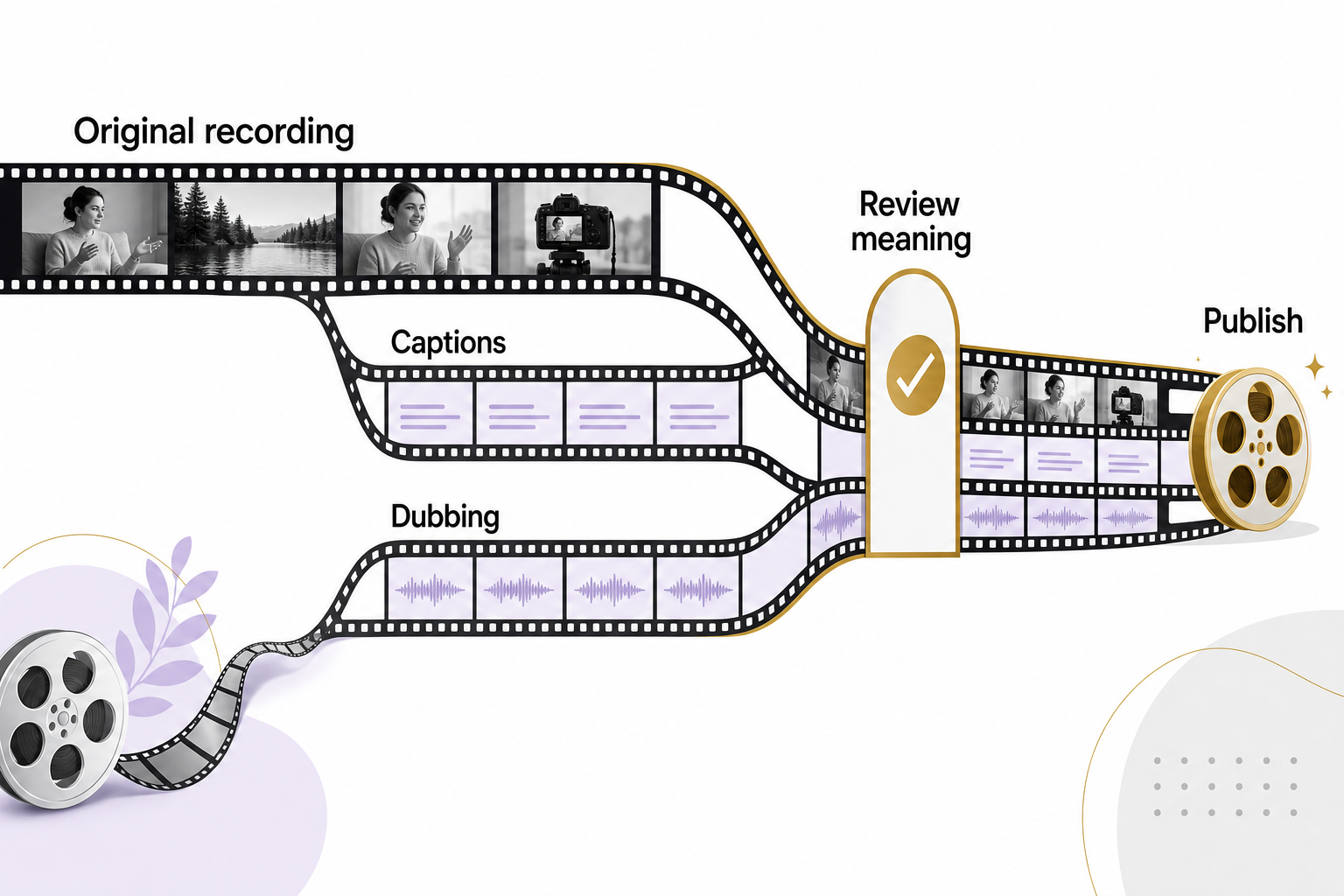
YouTube requires disclosure for meaningful AI alteration or generation of realistic content. Its current guidance distinguishes this from ordinary production help, such as drafting an outline or creating captions. Review the examples for the specific video instead of assuming every AI use is treated the same. YouTube: Disclosing use of GenAI content
Automatic dubbing can create translated audio for eligible videos, but eligibility, language support and quality vary. YouTube documents review before publication and warns that names, jargon and speech recognition can produce errors. YouTube: Automatic dubbing
Check important product terms and instructions with someone competent in the target language before publishing a dub. If you cannot verify it, do not pretend you have. The ability to generate another language is not the same as the ability to support customers in it.
Package the video accurately
Write a title that describes the question or outcome. Make the thumbnail readable at a small size and consistent with what the video actually shows. Avoid a dramatic before-and-after image if the footage does not support it.
Use the description for context, relevant links and any necessary limitations. Check captions for names, measurements and technical terms. Add chapters when they make a longer explanation easier to navigate.
Accessibility is part of usefulness. If a step depends on something visible, describe it aloud. If you provide important instructions on screen, make sure they remain readable long enough to follow.
A hypothetical example
A retailer films how to compare two types of outdoor lighting. AI helps trim pauses and draft chapter names. The owner checks that neither edit removes an installation limitation, corrects a misheard product name in the captions and links to a written comparison. The real demonstration remains the evidence.
Measure whether viewers get what they need
Review retention alongside the video’s purpose. A steep drop before the explanation may signal a slow introduction. A shorter watch time after someone reaches a clearly labeled answer may not be failure.
Look for useful questions in comments, visits to the linked resource and relevant inquiries. Do not claim every later sale came from a video because the customer watched once. Record what buyers actually tell you and compare it with available referral information.
Choose a publishing rhythm you can sustain with accurate, helpful material. If you need a practical video plan tied to your business questions, start with an Eastmoor Digital discovery call.
Sources & further reading
Primary references checked for this refresh. Availability and platform behavior may change.
- YouTube: Disclosing use of GenAI contentChecked 2026-08-31
- YouTube: Automatic dubbingChecked 2026-08-31